
How to connect Facebook Pages to ARIQ
Use this guide when an agency connects a client's Facebook Pages account, or when a business connects its own Facebook Pages account. The connection is saved on the open project.
Meta OAuth — pages_read_engagementWho connects Facebook Pages
The connection is saved on one project. An agency connects each client from that client's project. A business connecting its own account uses its own project. Both follow the same Connect button.
Sign in to ARIQ with your agency user. Open the client project, then connect that client's Facebook Pages account. The client does not need an ARIQ login. Use the Facebook Pages login that can already see that client's data.
Sign in to ARIQ, open your project, and connect the Facebook Pages account this business already uses. You approve access with that same account.
Connect it inside ARIQ
- 1Sign in to ARIQ.
- 2Open the project this account belongs to. Switch projects from the left sidebar if you manage more than one client.
- 3Open Facebook Pages from the workspace tabs, or go straight to the Facebook Pages page.
- 4Click Connect, then Sign in with Facebook Pages. ARIQ sends you to Facebook Pages. Sign in with the account that can see this client's data and allow access. You do not paste a password into ARIQ.
- 5Stay on that project and sync. The page shows live numbers only after this account is connected. Another client's project stays empty until you connect it there too.
On Facebook Pages, before you click Connect
Do this in the Facebook Pages account that belongs to the client, or in your own account if this project is your business. Then come back to ARIQ and click Connect.
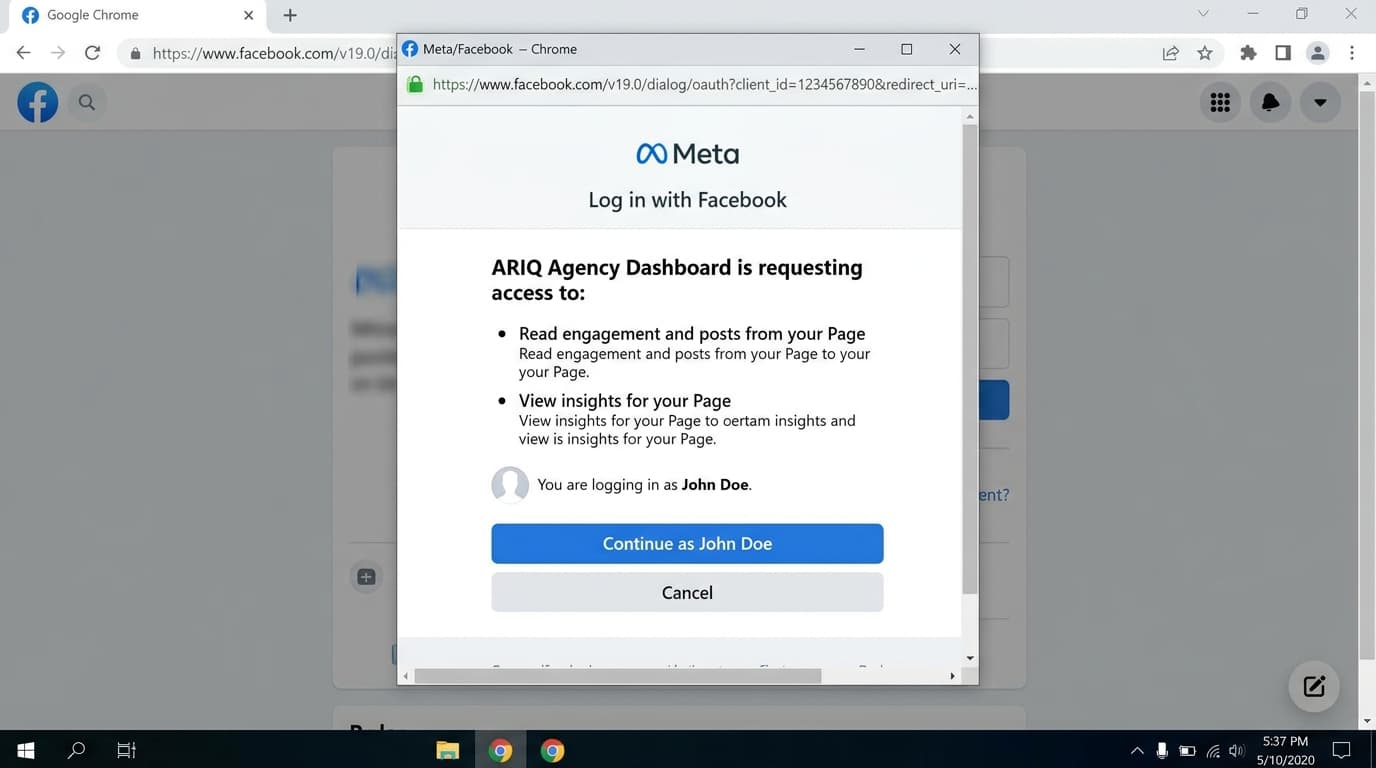
Use a Page admin
Facebook PagesConnect a Facebook user who has a role on the client Page.
Connect Facebook
On the Facebook page, choose Connect and approve Page list and engagement access.
Select the Page
Pick the client Page and sync. Followers, reach, and post engagement load into the social workspace.
What shows up after the account is connected
Read Page reach, post engagement, and follower counts for the client Facebook Page.